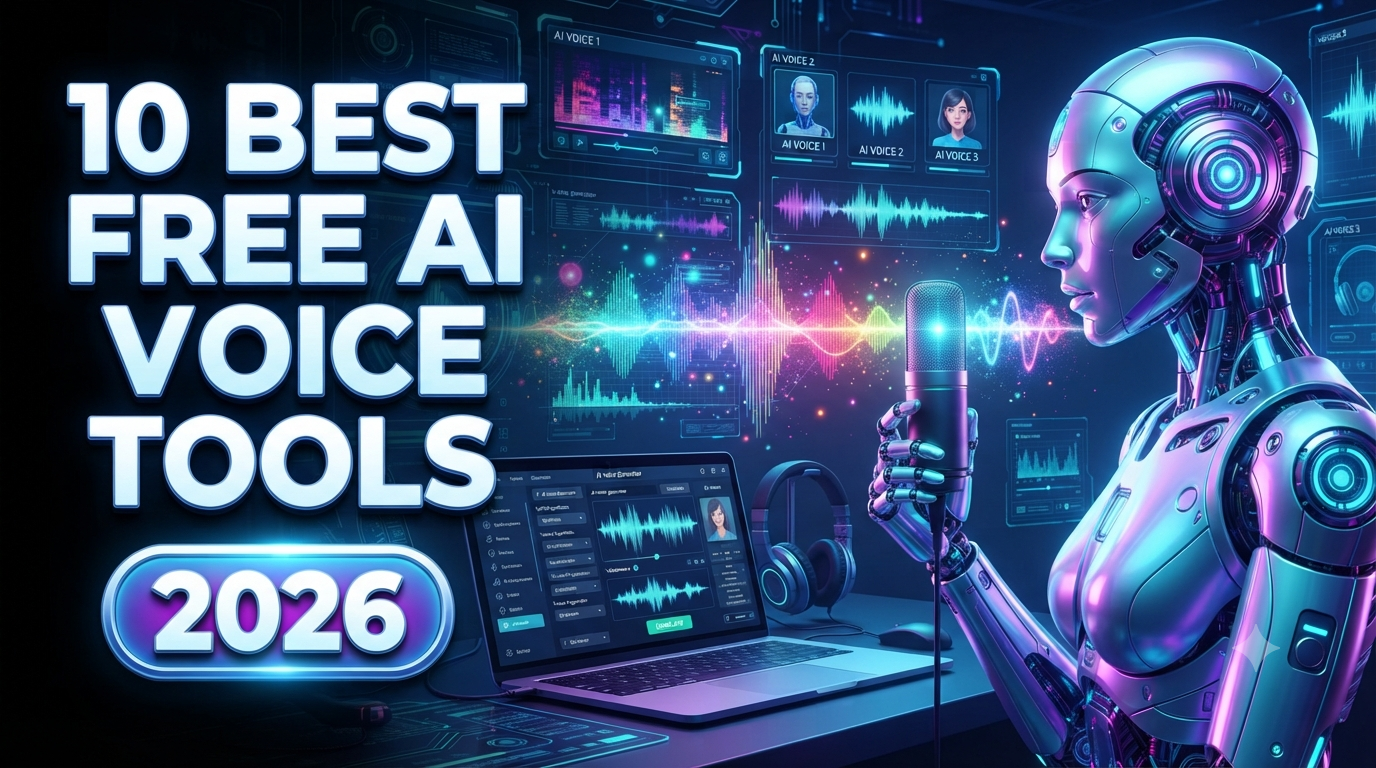
10 Best Free AI Voice Generator Websites in 2026
Artificial intelligence has changed the way people create audio content. In the past, producing a professional voiceover usually required a microphone, recording equipment, a quiet studio, and a professional voice actor. Today, AI voice generators can turn written text into natural-sounding speech within minutes.
AI voice generator websites are useful for YouTube videos, podcasts, advertisements, online courses, audiobooks, social media videos, presentations, tutorials, and business content.
The technology has also improved significantly. Modern AI voices can sound more natural, expressive, and conversational than traditional text-to-speech software.
The biggest question for beginners is simple: Which AI voice generator is free and actually worth using?
There are many options available in 2026, but their free plans are different. Some provide monthly characters, some offer trial minutes, some restrict downloads, and others limit commercial usage.
In this guide, we will explore the 10 best free AI voice generator websites in 2026, including their best features, ideal use cases, advantages, limitations, and tips for creating better AI voiceovers.
Important: Free credits, voice limits, download options, commercial-use rights, and available features can change. Always check the current terms before using an AI-generated voice for commercial content.
Quick Comparison: Best Free AI Voice Generators in 2026
| AI Voice Generator | Best For | Free Access | Main Strength |
|---|---|---|---|
| ElevenLabs | Realistic voices | Free tier | Natural voice quality |
| Murf AI | Professional voiceovers | Free trial | Business narration |
| PlayAI | Multilingual voices | Limited free access | Voice variety |
| Speechify | Text-to-speech | Free features | Reading and accessibility |
| LOVO AI | Expressive voices | Trial/free access | Emotional voiceovers |
| Descript | Podcasts and videos | Free plan | Voice + editing |
| Clipchamp | Video creators | Free tools | Easy voiceovers |
| Canva | Social media creators | Free features | Design + voice |
| NaturalReader | Documents | Free version | Text-to-speech |
| TTSMaker | Quick TTS | Free access | Simple voice generation |
1. ElevenLabs
Best for: Realistic and natural-sounding AI voices
ElevenLabs is one of the most well-known AI voice-generation platforms available today.
Its main strength is voice quality. The platform focuses heavily on producing natural-sounding speech with realistic pronunciation, pacing, and expression.
Instead of sounding like a traditional robotic text-to-speech system, AI-generated voices can sound much closer to human narration.
ElevenLabs can be useful for:
-
YouTube videos
-
Storytelling
-
Podcasts
-
Audiobooks
-
Social media content
-
Voiceovers
-
Character voices
-
Educational content
A creator can write a script, select a voice, generate the speech, and use the resulting audio in a video-editing workflow.
The platform also supports multiple languages and offers different voice styles.
Best for:
Creators who prioritize realistic voice quality.
Free plan
ElevenLabs offers a free tier with limited usage. The exact character allowance and available features can change, so users should check the current plan before relying on a specific monthly limit.
Limitation
Free usage is limited, and commercial-use rights can depend on the account and plan.
2. Murf AI
Best for: Professional business voiceovers
Murf AI is designed around professional voiceover production.
It is particularly useful for businesses, marketers, educators, and creators who need polished narration.
You can enter a script and choose from different AI voices, languages, accents, and speaking styles.
Murf can be useful for:
-
Corporate presentations
-
Training videos
-
Explainer videos
-
Advertisements
-
YouTube content
-
Online courses
-
Product demonstrations
One advantage is its focus on voiceover workflows rather than simply converting text into audio.
Best for:
Professional narration and business content.
Murf provides a free trial, although free usage comes with restrictions. Current official information indicates that the free trial allows limited voice generation but does not provide unlimited downloadable production use.
Limitation
The free option is primarily useful for testing the platform.
3. PlayAI
Best for: Multilingual AI voices
PlayAI is another popular AI voice-generation platform focused on realistic speech and multilingual voice capabilities.
It can be useful when your audience is international and you need content in multiple languages.
For example, a business could create an English promotional video and then produce versions in other supported languages.
Possible applications include:
-
YouTube videos
-
Advertisements
-
E-learning
-
Podcasts
-
Voice assistants
-
Marketing content
Best for:
-
Multilingual content
-
Global audiences
-
Voiceovers
-
Marketing
-
Educational videos
The platform's free access and usage limits can change, so verify the current account limits before starting a large project.
4. Speechify
Best for: Text-to-speech and reading
Speechify is particularly popular for converting written content into spoken audio.
Instead of being focused only on content creators, it is also useful for people who want documents, articles, books, or other text read aloud.
This can help:
-
Students
-
Professionals
-
Readers
-
People with accessibility needs
-
Language learners
-
Researchers
Speechify can turn written material into spoken audio using AI-powered voices.
Best for:
Reading articles, documents, and written content aloud.
It can also be useful for listening to content while commuting, exercising, or doing other tasks.
Limitation
Some advanced voices and features may require a paid plan.
5. LOVO AI
Best for: Expressive and emotional voiceovers
LOVO AI, also known as Genny, focuses on AI voice generation and content creation.
One of its strengths is the variety of voices and expressive styles available.
This can be particularly useful for storytelling.
For example, a creator making an animated story may want different voices for different characters.
LOVO can be useful for:
-
YouTube videos
-
Animation
-
Advertisements
-
E-learning
-
Storytelling
-
Product videos
-
Character narration
Best for:
Creators who need expressive voiceovers and character-style narration.
The platform offers trial/free access with limitations depending on the current plan.
6. Descript
Best for: Podcasts and video editing
Descript is more than an AI voice generator.
It combines transcription, audio editing, video editing, and AI-powered voice features into one workflow.
One of its most interesting capabilities is that creators can work with audio and video almost like editing a text document.
This can be extremely useful for:
-
Podcasts
-
YouTube videos
-
Interviews
-
Tutorials
-
Video editing
-
Voice corrections
If you create a podcast and discover a small mistake in your narration, AI-assisted voice tools can make certain corrections easier without requiring you to completely re-record the section.
Best for:
Podcasters and video creators who want voice generation combined with editing.
The free plan provides limited usage, while advanced AI features may require a paid subscription.
7. Microsoft Clipchamp
Best for: Free voiceovers for video creators
Microsoft Clipchamp is a browser-based video editor that includes text-to-speech capabilities.
This makes it useful for creators who want to generate a voiceover while editing their video.
You can create a video, add text-to-speech narration, combine it with visuals, and export the finished project.
It is particularly useful for:
-
YouTube videos
-
Shorts
-
Educational videos
-
Tutorials
-
Presentations
-
Social media videos
Best for:
Creators who want AI voice generation and video editing in one place.
One major advantage is simplicity. You don't necessarily need to use a separate voice-generation website and then manually import the audio.
8. Canva AI Voice Generator
Best for: Social media and marketing content
Canva is widely used for graphic design, presentations, social media posts, and video creation.
Its AI-powered voice features make it possible to combine AI narration with visual content inside the same design platform.
This is useful for people creating:
-
Instagram videos
-
YouTube Shorts
-
Promotional videos
-
Presentations
-
Educational content
-
Business advertisements
For example, you could create a promotional video for a business, add images and animations, and then use an AI voice to narrate the script.
Best for:
Beginners and social media creators.
The biggest advantage is the all-in-one workflow.
You don't have to become an expert in professional audio editing to create a simple narrated video.
9. NaturalReader
Best for: Reading documents and accessibility
NaturalReader is primarily designed around text-to-speech.
It can convert written text into spoken audio and is useful for reading documents, web content, and other written materials.
It can be particularly useful for:
-
Students
-
Professionals
-
Accessibility
-
Language learning
-
Document reading
-
Proofreading
Best for:
People who primarily need text read aloud rather than cinematic voiceovers.
NaturalReader provides free access with limitations, while advanced voices and features may be available through paid plans.
10. TTSMaker
Best for: Quick and simple text-to-speech
TTSMaker is a straightforward text-to-speech option for users who want to convert text into audio without learning complicated software.
The workflow is simple:
-
Enter your text.
-
Choose a language.
-
Select a voice.
-
Generate the speech.
-
Download the result when available.
It can be useful for:
-
YouTube narration
-
Short videos
-
Educational content
-
Social media
-
Basic voiceovers
-
Text-to-speech experiments
Best for:
Users who want a simple and quick AI voice generator.
The platform supports multiple languages and provides free text-to-speech usage subject to its current limits.
How to Choose the Best Free AI Voice Generator
The best AI voice generator depends on your project.
For YouTube Videos
Consider:
ElevenLabs, Murf, Descript, or Clipchamp.
These tools can work well for narration and video content.
For Social Media
Consider:
Canva, Clipchamp, ElevenLabs, or TTSMaker.
They are useful for creating short narrated videos.
For Podcasts
Consider:
ElevenLabs or Descript.
Voice quality and editing capabilities are particularly important for podcasts.
For Business Videos
Consider:
Murf AI, ElevenLabs, or LOVO.
These platforms can provide polished narration for presentations, advertisements, and training content.
For Reading Text
Consider:
Speechify or NaturalReader.
These services are designed more specifically around reading written content aloud.
How to Write a Good AI Voice Script
A good AI voice doesn't only depend on the voice model.
Your script also matters.
Compare these two examples.
Basic script:
“Welcome to our website. We provide AI tools. Visit our website today.”
This is understandable but sounds basic.
Better script:
“Looking for powerful AI tools that can save you time? Explore our website today and discover simple tools designed to make your everyday work easier.”
The second version is more conversational and engaging.
When writing AI voice scripts, use:
-
Short sentences
-
Natural punctuation
-
Conversational language
-
Clear paragraphs
-
Appropriate pauses
-
Simple pronunciation
Avoid extremely long sentences because they can sometimes sound unnatural when converted into speech.
Tips for Making AI Voices Sound More Human
Here are several simple techniques.
Use punctuation
Commas and periods can help create natural pauses.
Write conversationally
Instead of writing like a formal document, write as if someone is speaking to another person.
Use short paragraphs
Short sections can make narration easier to follow.
Test pronunciation
Names, brands, technical words, and unusual terms may require pronunciation testing.
Choose the right voice
A corporate video may need a professional voice, while a cartoon may need a playful voice.
Match voice and audience
For children's content, a friendly and energetic voice may work better.
For financial content, a calm and professional voice may be more appropriate.
Are Free AI Voices Really Free?
This is one of the most important questions.
Many websites advertise free AI voice generation, but the meaning of "free" varies.
A free plan may include:
-
Limited characters
-
Limited minutes
-
Limited downloads
-
Watermarks
-
Fewer voices
-
Lower-quality audio
-
Personal-use restrictions
-
Limited commercial rights
Therefore, don't choose a platform simply because it has a "free" button.
Check what the free plan actually provides.
Can YouTube Creators Use AI Voices?
Yes, AI voices can be used in YouTube content, but creators should pay attention to platform policies and the licensing terms of the AI voice provider.
Using an AI voice does not automatically make content original or valuable.
For a better YouTube video, combine narration with:
-
Original scripts
-
Useful information
-
Original editing
-
Relevant visuals
-
Good storytelling
-
Meaningful commentary
Simply converting copied articles into AI speech may not provide enough original value for a strong content strategy.
Can AI Voice Generators Be Used for Commercial Projects?
Sometimes.
Commercial rights depend on the specific service and subscription plan.
Before using an AI voice in:
-
Advertisements
-
Client projects
-
Paid courses
-
Commercial YouTube channels
-
Business promotions
-
Audiobooks
-
Product videos
check the provider's current licensing terms.
A free plan may allow personal experimentation but restrict commercial use.
Final Verdict
AI voice generators have made professional-sounding narration much easier to produce.
You don't need expensive recording equipment or a professional studio to create a voiceover anymore. With the right AI voice generator, you can turn a written script into spoken audio in minutes.
For the most natural-sounding voices, ElevenLabs is one of the strongest options to test.
For professional business narration, Murf AI is worth considering.
For multilingual projects, PlayAI can be useful.
For reading documents and written content, Speechify and NaturalReader are good choices.
For expressive storytelling, LOVO AI can be a strong option.
For podcasts and editing, Descript provides a more complete workflow.
For video creators who want editing and voice generation together, Clipchamp and Canva are practical options.
And for quick text-to-speech experiments, TTSMaker is simple to use.
The best strategy is to test multiple platforms with the same script. Compare pronunciation, realism, emotion, speed, language support, download options, and licensing.
Most importantly, remember that free plans change frequently. Always check the latest usage limits and commercial terms before starting a large project.
As AI voice technology continues to improve, creating professional narration will become even faster and more accessible. Whether you are making YouTube videos, podcasts, online courses, advertisements, animations, or social media content, AI voice generators can become a valuable part of your content-creation workflow.
Frequently Asked Questions
What is the best free AI voice generator in 2026?
There is no single best option for everyone. ElevenLabs is a strong choice for realistic voices, Murf is useful for professional narration, and TTSMaker is convenient for simple text-to-speech.
Can I use AI voices for YouTube?
Yes, but you should follow YouTube's current policies and the AI provider's licensing rules. AI narration should ideally be combined with original and valuable content.
Which AI voice generator sounds the most realistic?
ElevenLabs is widely recognized for highly natural AI voices, although the best result depends on the specific voice, language, script, and generation settings.
Are free AI voice generators unlimited?
Usually not. Most free services impose character, minute, credit, export, or feature limitations.
Can AI voices speak different languages?
Yes. Many modern AI voice platforms support multiple languages and accents. The exact languages available depend on the platform.
Can I use AI-generated voices commercially?
Some platforms allow commercial use on paid plans, while free plans may have restrictions. Always check the current license before using an AI voice in commercial content.