10 Best AI Video Generator Websites in 2026
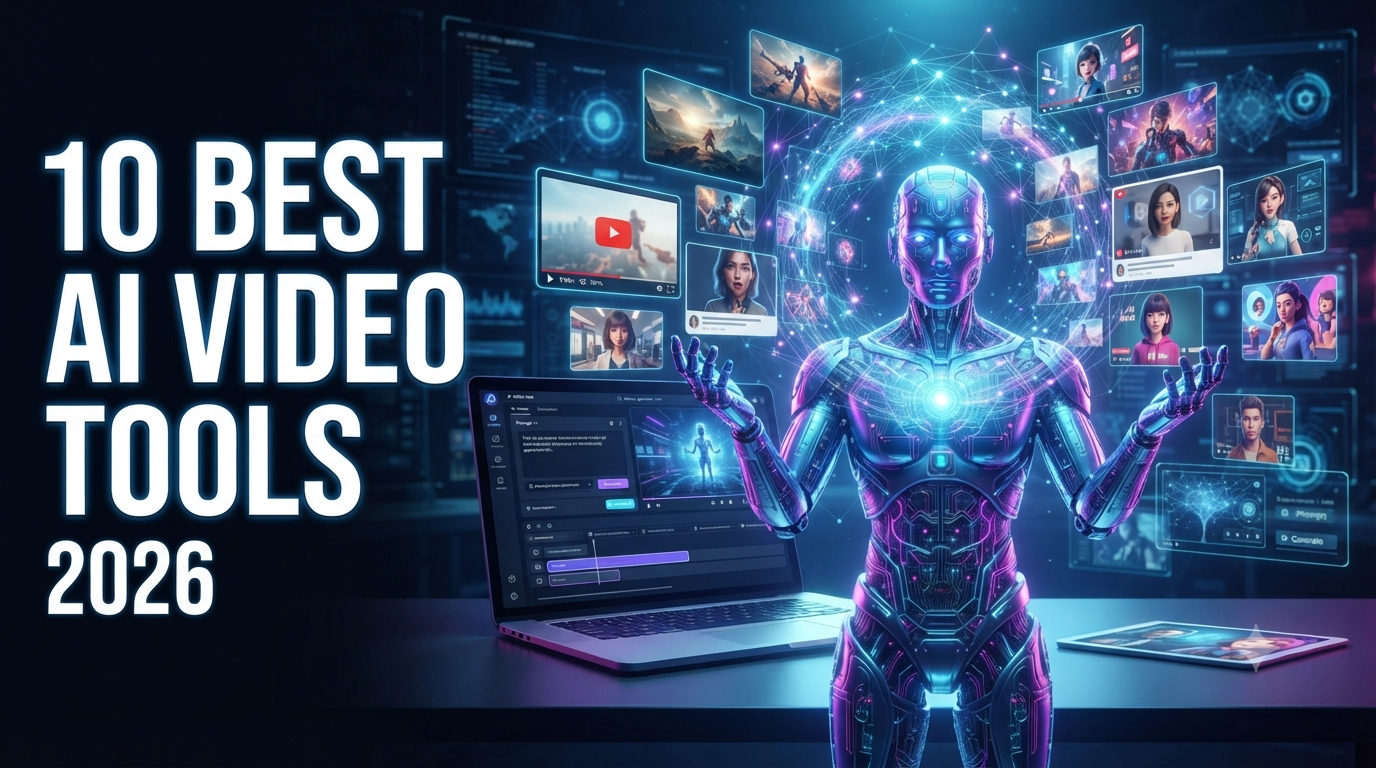
Artificial intelligence has completely changed the way people create video content. A few years ago, producing a professional video usually required a camera, actors, lighting equipment, editing software, and hours of work. Today, AI video generator websites can help turn a simple text prompt, image, or script into engaging video content in minutes.
AI video generators are now being used by YouTubers, marketers, small businesses, educators, filmmakers, social media creators, and companies. Modern platforms can create cinematic scenes, animated clips, product videos, talking-avatar presentations, social media videos, advertisements, and more.
However, choosing the right AI video generator can be difficult because every platform focuses on different features. Some are designed for cinematic text-to-video generation, while others are better for AI avatars, business presentations, social media content, or turning an entire script into a finished video.
In this guide, we look at 10 of the best AI video generator websites in 2026, what each platform does best, who should use it, and what makes it different.
Quick Comparison: Best AI Video Generators
| AI Video Generator | Best For |
|---|---|
| Runway | Professional creative and cinematic videos |
| Google Veo | High-quality cinematic generation |
| Kling AI | Realistic motion and multi-shot videos |
| HeyGen | AI avatars and marketing videos |
| Synthesia | Business and training videos |
| Pika | Social media and creative effects |
| InVideo AI | Complete videos from prompts and scripts |
| Luma | Creative video generation |
| Adobe Firefly | AI video and Adobe workflows |
| Hailuo AI | Fast AI video experimentation |
There is no universal winner. Current comparisons show that the best platform depends heavily on whether you need cinematic generation, avatars, social clips, or complete publishable videos.
1. Runway
Best for: Professional creative videos and cinematic AI generation
Runway is one of the most well-known names in AI video generation. It is particularly attractive to filmmakers, creative professionals, agencies, and creators who want greater control over the visual style of their videos.
Runway can be used for generative video workflows, creative editing, image-to-video generation, and other production tasks.
One of its biggest strengths is that it is designed more like a creative production environment than a simple "type a prompt and get a video" website.
Creators can use AI to experiment with camera movements, visual concepts, characters, environments, and cinematic sequences.
Why Choose Runway?
Runway can be a strong option if you want:
-
Cinematic video generation
-
Creative control
-
Image-to-video workflows
-
Professional creative projects
-
AI-assisted video editing
-
Experimental visual effects
It is particularly useful for creators who want to combine traditional editing with AI-generated footage.
Current 2026 comparisons continue to place Runway among the strongest platforms for professional generative video workflows.
2. Google Veo
Best for: High-quality cinematic AI video
Google's Veo family has become an important competitor in the AI video generation market.
Veo is designed to generate high-quality video from text and other creative inputs. One of its major attractions is the ability to create cinematic-looking scenes with detailed environments, camera movements, and increasingly sophisticated audio capabilities.
Google's video-generation technology is particularly interesting for creators who want realistic visual storytelling without traditional filming equipment.
What Can You Create With Veo?
You can use AI video generation for:
-
Cinematic scenes
-
Short films
-
Product concepts
-
Social media clips
-
Storytelling
-
Creative advertisements
-
Visual experiments
Veo is particularly attractive when visual quality is the top priority.
Recent 2026 comparisons have highlighted Veo 3.1 for cinematic quality and native audio capabilities.
3. Kling AI
Best for: Realistic movement and multi-shot storytelling
Kling AI has become another major player in the AI video-generation space.
One of Kling's strengths is realistic motion. This can be especially useful for scenes involving people, characters, sports, movement, and cinematic storytelling.
Kling can also be useful when creators want more continuity between shots rather than generating completely unrelated clips.
Why Creators Use Kling AI
Kling can be useful for:
-
Character animation
-
Cinematic scenes
-
Realistic human movement
-
Image-to-video generation
-
Short films
-
Social media videos
-
Creative storytelling
For creators who want realistic motion but do not necessarily need a traditional filmmaking workflow, Kling can be an excellent option.
Several current 2026 comparisons identify Kling as a strong choice for motion, realism, and multi-shot generation.
4. HeyGen
Best for: AI avatars, presenters, marketing, and multilingual videos
HeyGen is different from cinematic text-to-video platforms.
Instead of focusing primarily on generating fictional cinematic scenes, HeyGen is strongly focused on AI avatar videos.
You can create videos in which an AI presenter speaks a script. This makes the platform particularly useful for businesses, marketers, educators, sales teams, and social media creators.
Common HeyGen Use Cases
Businesses can use AI avatar videos for:
-
Product explanations
-
Marketing videos
-
Training
-
Presentations
-
Social media
-
Sales videos
-
Educational content
-
Multilingual content
One major advantage is that avatar-based video can allow a business to produce presenter-style content without recording a person every time.
HeyGen has also been highlighted in current comparisons for multilingual avatar and business-video workflows.
5. Synthesia
Best for: Corporate training and educational videos
Synthesia is another leading AI avatar video platform.
It is especially popular for business, employee training, educational content, presentations, and professional communication.
Instead of hiring actors or recording employees repeatedly, companies can create videos using AI presenters and written scripts.
Who Should Use Synthesia?
Synthesia can be useful for:
-
Corporate training
-
Employee onboarding
-
Educational videos
-
Internal communications
-
Presentations
-
Tutorials
-
Business explainers
-
Professional learning content
Its biggest advantage is its focus on structured business communication rather than purely cinematic video generation.
Current industry comparisons continue to identify Synthesia as a strong option for business and training videos.
6. Pika
Best for: Social media creators and creative video effects
Pika is designed with fast and creative video creation in mind.
It is particularly interesting for creators who want to experiment with short-form content, visual effects, transformations, and social-media-friendly videos.
Rather than trying to replace an entire professional film production workflow, Pika can be useful for quickly turning creative ideas into short visual clips.
Pika Is Good For
-
YouTube Shorts
-
Instagram Reels
-
TikTok-style content
-
Memes
-
Creative effects
-
Image-to-video
-
Short animations
-
Visual experiments
For social media creators who want to experiment quickly, Pika can be a convenient choice.
Recent comparisons have consistently positioned Pika as a strong option for short-form and social-media content.
7. InVideo AI
Best for: Creating complete videos from scripts and prompts
InVideo AI takes a different approach.
Instead of focusing only on generating individual cinematic clips, it can help users turn an idea, prompt, or script into a more complete video project.
This makes it particularly attractive to beginners, marketers, YouTubers, and people who want to create videos without learning complicated editing software.
What Can InVideo AI Do?
Depending on the workflow, creators can use it for:
-
YouTube videos
-
Social media videos
-
Marketing videos
-
Explainer videos
-
Advertisements
-
Faceless videos
-
Script-based content
-
Promotional videos
For beginners, the ability to start from an idea or script can make the video-production process much easier.
Current comparisons identify InVideo AI as a strong choice when the goal is to move from a prompt or script toward a complete publishable video.
8. Luma
Best for: Creative visual generation
Luma is another platform worth considering for AI-powered video creation.
It is particularly interesting for creators who want to experiment with cinematic visuals, image-to-video concepts, and creative storytelling.
AI video generation is especially useful for visualizing ideas that would otherwise require expensive production.
For example, a creator could start with an image and use AI to introduce camera movement, environmental motion, or other visual changes.
Luma Can Be Useful For
-
Creative videos
-
Concept visualization
-
Image-to-video
-
Cinematic experiments
-
Social content
-
Visual storytelling
Luma is frequently included in 2026 AI video comparisons alongside Runway, Kling, Pika, and other major platforms.
9. Adobe Firefly
Best for: Creators already using Adobe's ecosystem
Adobe Firefly has become an important option for creators who want generative AI capabilities integrated with Adobe's creative ecosystem.
This can be particularly useful for designers, marketers, agencies, and creative professionals who already use Adobe applications.
Instead of treating AI video as an isolated website, Adobe's approach is focused on bringing generative AI into broader creative workflows.
Why Consider Adobe Firefly?
It can be useful for:
-
Creative professionals
-
Marketing teams
-
Designers
-
Social media content
-
Concept development
-
AI-generated video experiments
-
Adobe-based workflows
Adobe Firefly is also positioned around commercially focused creative workflows, which can be an important consideration for businesses.
Current comparisons include Adobe Firefly among the major AI video tools available to creators.
10. Hailuo AI
Best for: Fast experimentation and creative AI videos
Hailuo AI is another platform worth exploring if you want to experiment with AI-generated video.
It is particularly useful for creators who want to test prompts, generate short visual concepts, and explore different AI video styles.
The platform has appeared in multiple 2026 AI video comparisons and is often positioned as an accessible option for experimenting with generative video.
Hailuo AI Can Be Useful For
-
Short video concepts
-
Creative experiments
-
Image-to-video
-
Social media content
-
AI storytelling
-
Visual effects
As with other AI video generators, available models, credits, output limits, and pricing can change, so users should check the platform's current plan details before subscribing.
Which AI Video Generator Is Best?
The answer depends on what you want to create.
Best for Professional Creative Work
Runway is a strong choice for creators who want advanced creative workflows and cinematic generation.
Best for Cinematic Quality
Google Veo is worth considering when high-quality visual generation and native audio capabilities are important.
Best for Realistic Motion
Kling AI is a strong option for realistic movement and multi-shot storytelling.
Best for AI Avatars
HeyGen is a great option for marketing, social content, presenters, and multilingual avatar videos.
Best for Corporate Training
Synthesia is particularly suited to businesses, education, training, and professional presentations.
Best for Social Media
Pika is useful for short-form creators who want quick and creative effects.
Best for Beginners
InVideo AI is a practical option for users who want to turn scripts and ideas into complete videos without learning complicated editing software.
Best for Adobe Users
Adobe Firefly makes sense for creators who already work within Adobe's ecosystem.
How to Choose an AI Video Generator
Before choosing a platform, think about the type of video you actually want to make.
1. Decide Your Video Type
Do you need a cinematic short film, a YouTube video, a talking avatar, an advertisement, or a social media clip?
The answer will immediately narrow down your choices.
2. Check Video Quality
Not every AI model produces the same level of realism.
If realistic characters, natural movement, detailed environments, and cinematic visuals are important, test several platforms before committing.
3. Consider Video Length
Some AI generators focus on short clips, while others are designed to assemble longer videos.
If you need a 10-minute YouTube video, a platform that only generates short clips may not be the most convenient choice.
4. Check Credits and Pricing
AI video generation can consume significant computing resources.
Many platforms use credit-based systems. Before purchasing a subscription, check:
-
Monthly credits
-
Video generation limits
-
Resolution
-
Watermarks
-
Commercial usage
-
Export options
-
Additional credit costs
Pricing and limits can change, so always verify the current information on the provider's website.
5. Think About Commercial Use
If you plan to use AI-generated videos for a business, advertisements, or monetized content, review the platform's current commercial-use and licensing terms.
Do not assume that every free AI-generated video automatically comes with unrestricted commercial rights.
Can AI Video Generators Replace Video Editors?
AI video generators can automate many parts of video production, but they do not completely eliminate the need for human creativity.
A professional video may still require:
-
Storytelling
-
Editing
-
Fact-checking
-
Sound design
-
Branding
-
Creative direction
-
Scene selection
-
Quality control
AI is best viewed as a powerful production assistant rather than a complete replacement for human creativity.
A creator who knows how to write strong prompts, select good generations, edit clips, and build a compelling story can often produce much better results than someone who simply generates random videos.
Tips for Getting Better AI Video Results
If you are new to AI video generation, start with clear prompts.
Instead of writing:
"A man walking in a city."
Try something more detailed:
"A young man walking through a modern downtown street at sunset, cinematic camera tracking shot, realistic lighting, natural movement, shallow depth of field, detailed urban environment, professional film look."
A good prompt can describe:
-
Subject
-
Location
-
Action
-
Camera movement
-
Lighting
-
Visual style
-
Mood
-
Environment
-
Time of day
The more clearly you communicate the visual idea, the easier it becomes to experiment with different generations.
Final Thoughts
AI video generation has moved far beyond simple experimental technology. In 2026, creators can choose from platforms designed for cinematic filmmaking, AI avatars, social media, business training, marketing, and complete video production workflows.
The 10 AI video generator websites covered in this article each have different strengths.
Runway is a strong choice for professional creative workflows. Google Veo is attractive for high-quality cinematic generation. Kling AI is a strong option for realistic motion. HeyGen and Synthesia are excellent for AI presenters and business communication. Pika is useful for social-media creators, while InVideo AI can help beginners create complete videos from scripts and ideas. Luma, Adobe Firefly, and Hailuo AI provide additional options for creators who want to experiment with AI-powered video production.
The most important thing is not choosing the tool with the biggest marketing claims. Instead, choose the platform that matches your actual workflow.
If you are a YouTube creator, start with short videos and experiment with different prompts. If you run a business, focus on tools that make marketing and presentation videos easier. If you are a filmmaker, prioritize visual quality, consistency, camera control, and editing capabilities.
AI video technology is developing quickly, so the best platform today may not be the best platform tomorrow. The smartest approach is to test several tools, compare their output, understand their pricing and licensing rules, and then choose the one that consistently produces the type of content you need.
The future of video creation is increasingly becoming a combination of human creativity + AI-powered production. The creators who learn how to use these tools effectively will have more ways to turn ideas into engaging videos than ever before.